
02. Create a personal account
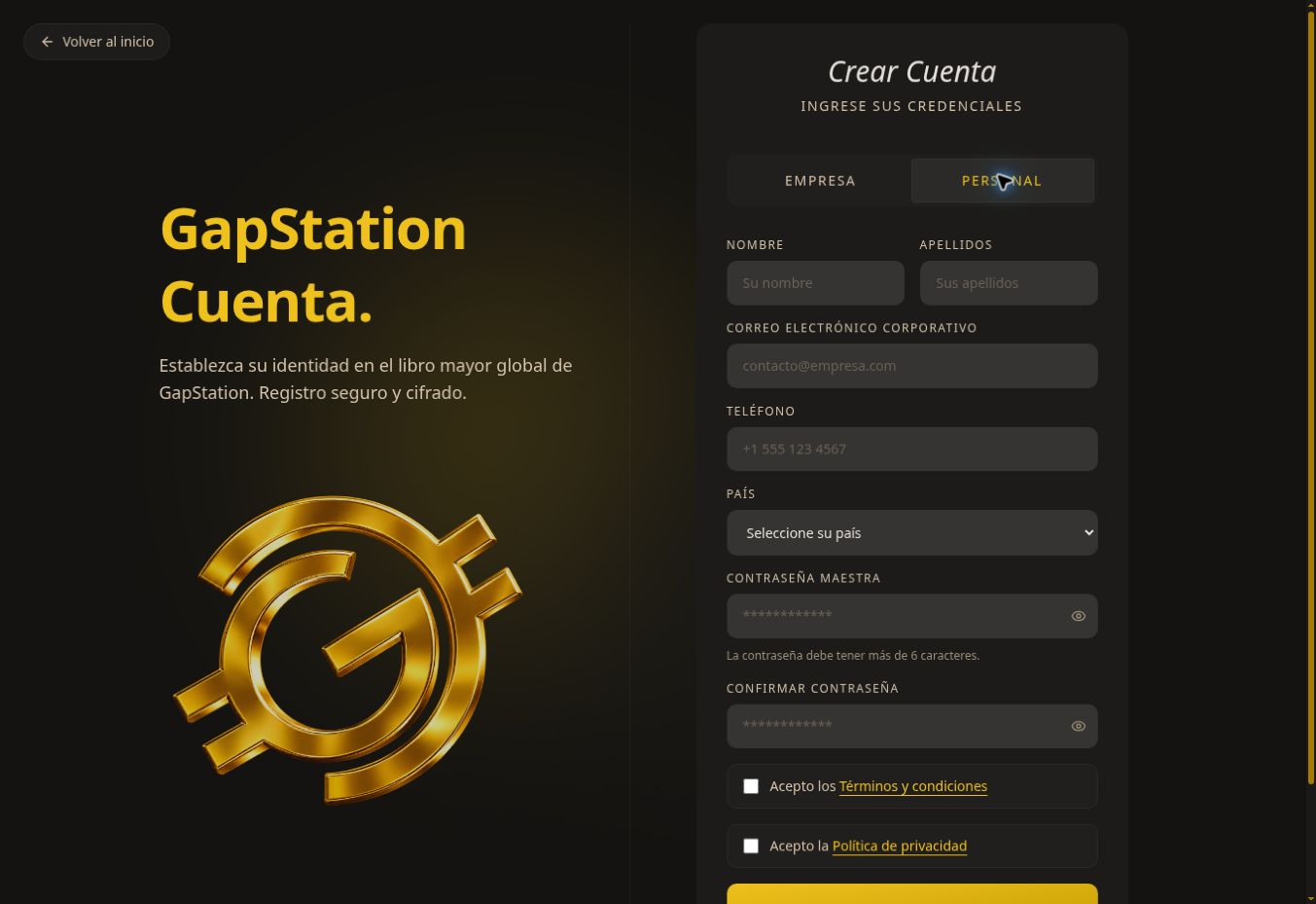 Create a personal account to access your buyer dashboard.
Step by step
- On the homepage, select Create account.
- Select PERSONAL. The BUSINESS option is for company registration.
- Enter your first name, last name, email address, phone number, and country.
- Enter and confirm your password. The form indicates it must be longer than 6 characters.
- Read the terms and conditions and privacy policy. Check the boxes if you agree.
- Select CREATE ACCOUNT and follow the instructions shown.
If you have trouble
Check all required fields and make sure both password entries match. If you already have an account, select Sign in.
Screenshot from the test environment. This guide describes the form; no new account was created during the review.
No comments to display
No comments to display