
03. Browse and review opportunities
Before buying, find an opportunity and review its products, terms, and availability. This guide uses Leche en polvo in the test environment.
1. Find the opportunity
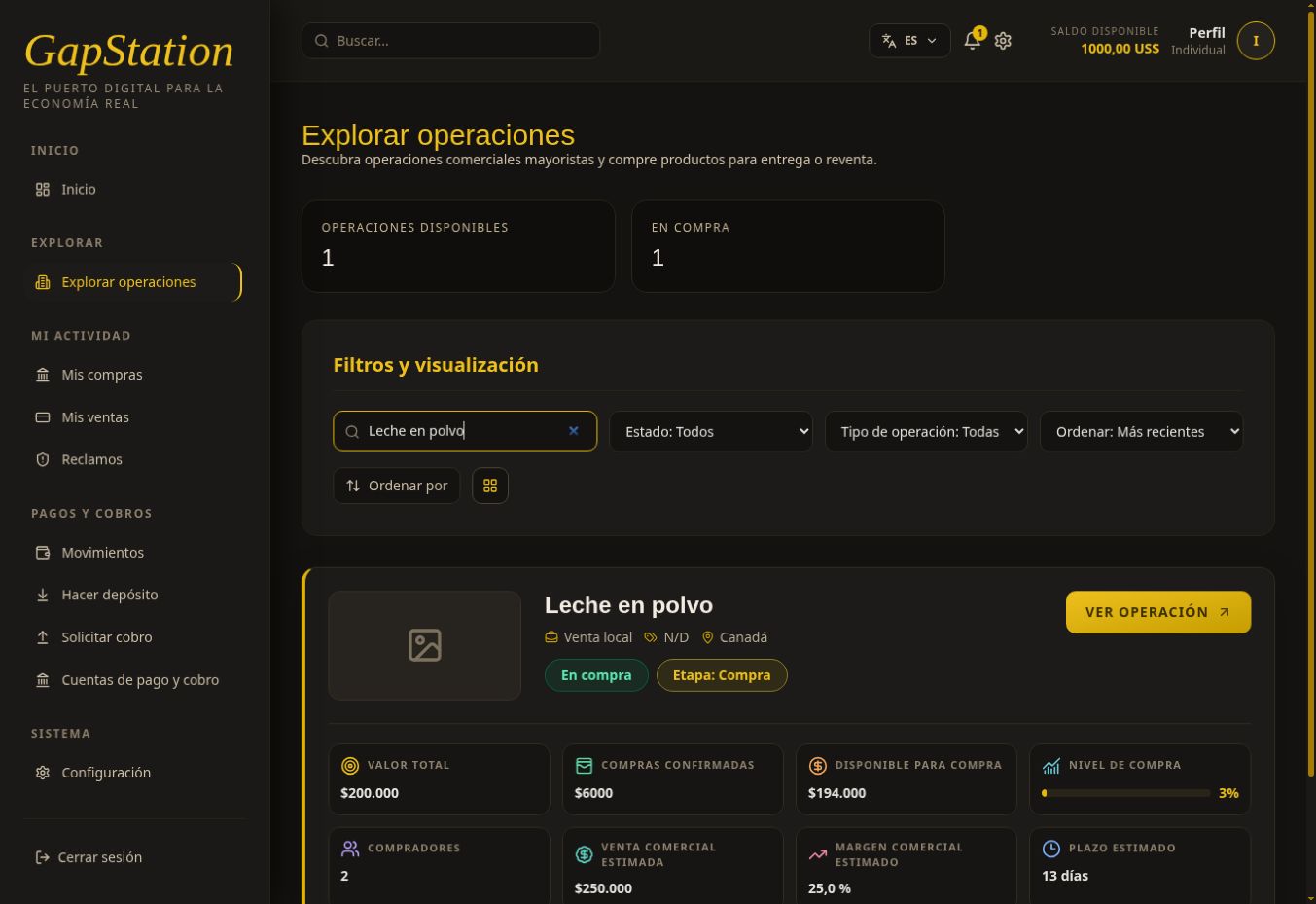
Open Explore opportunities and enter Leche en polvo in Search opportunities. You can filter by status or type, sort the results, and change the view.
The card summarizes total value, confirmed purchases, availability, number of buyers, and estimated time frame. Opportunity totals apply to all buyers; they are not your personal balance. This marketplace screenshot was taken after our test purchase, so its figures differ from earlier screenshots of the details.
2. Select View opportunity
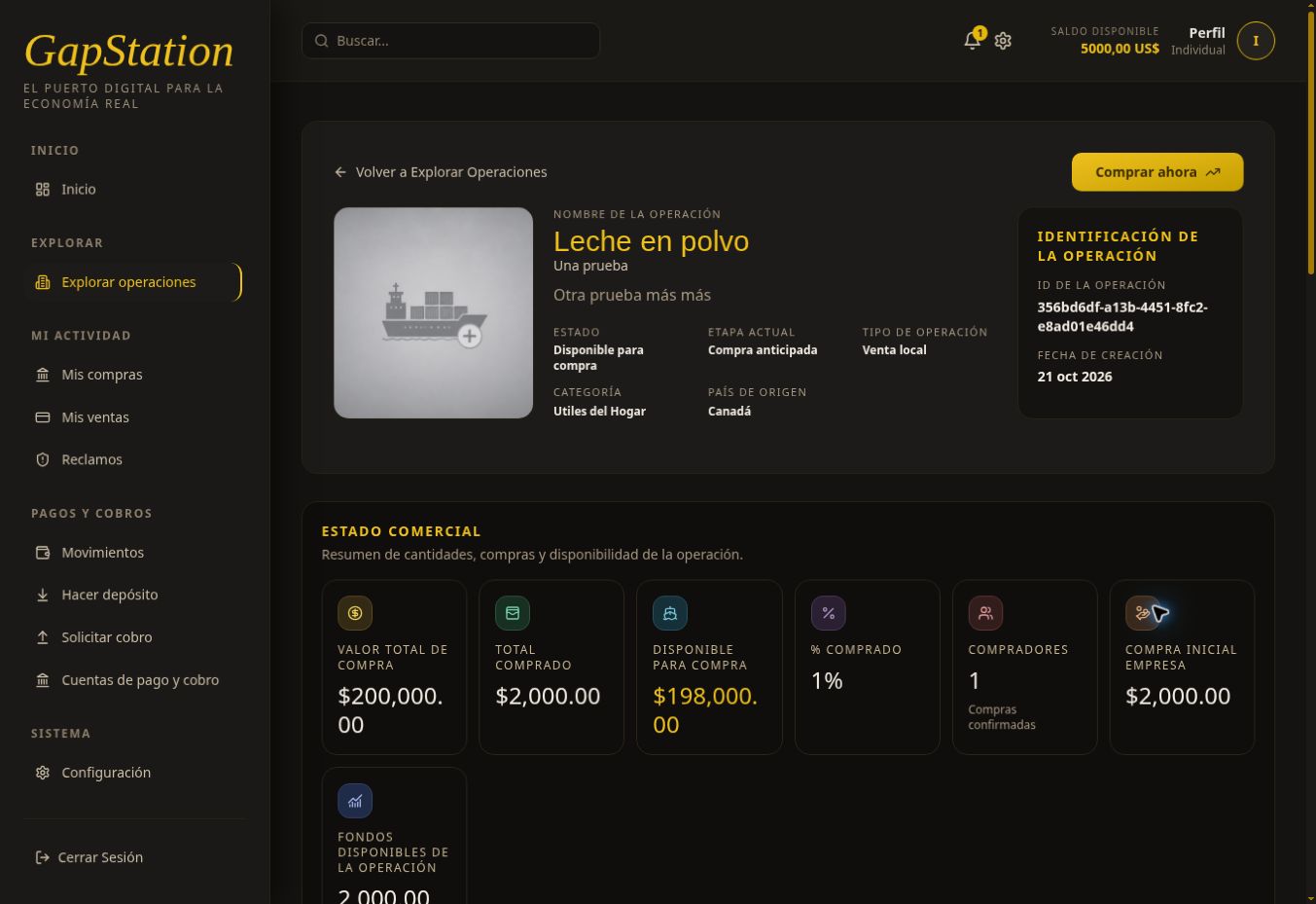
Check the name, status, current stage, type, category, and country. The opportunity must allow purchases to continue.
3. Review the terms
- Commercial status: total value, amount purchased, and availability.
- Opportunity information: responsible company, origin, destination, and estimated dates.
- Description and participating companies: what is proposed and who is involved.
- Commercial details: estimated prices, margin, and time frame.
- Products: what is actually being purchased.
4. Open View products
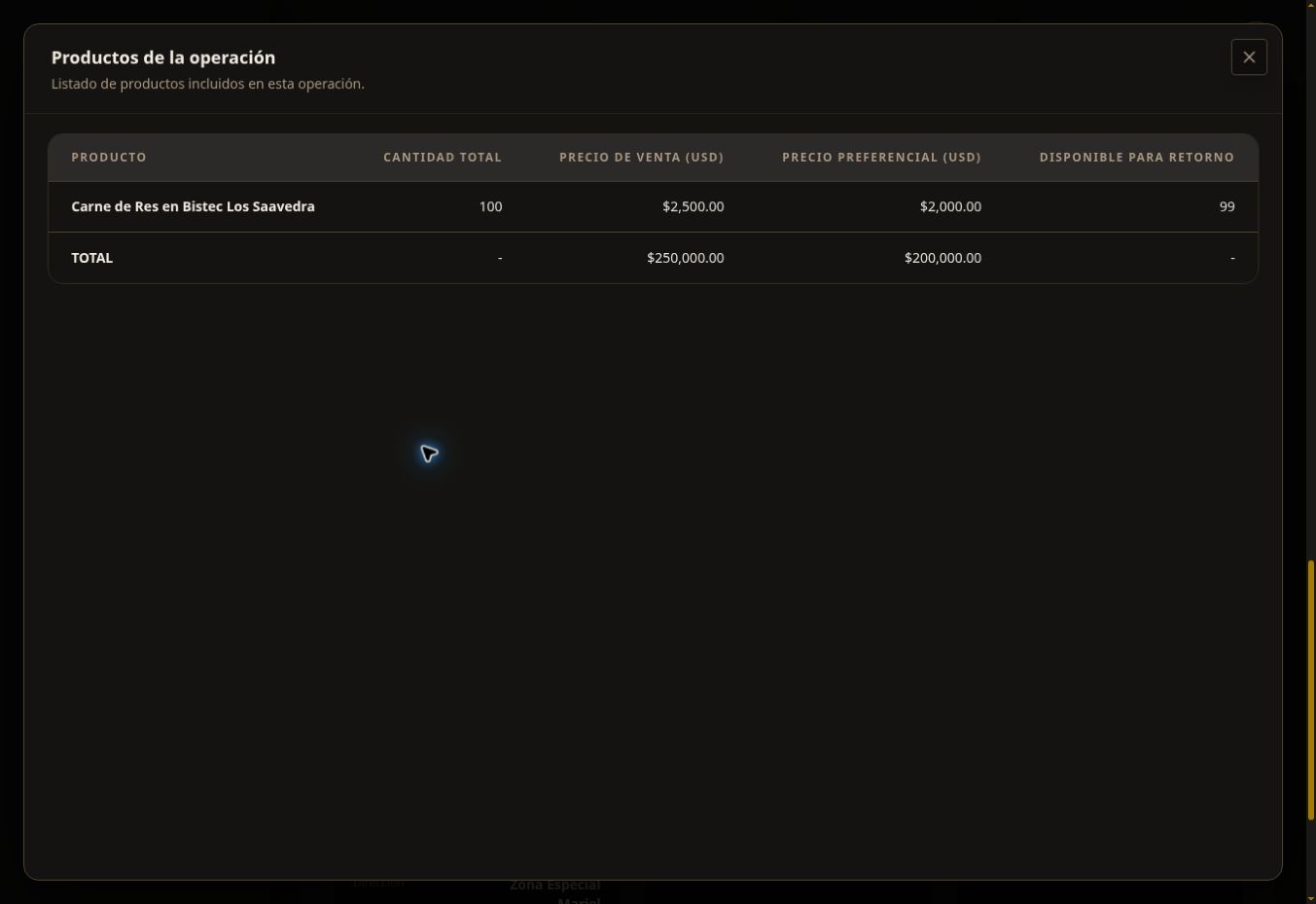
Under Opportunity products, select View products to check each product name, quantity, and price.
Test example detail: although the opportunity is named Leche en polvo, its only test product is Carne de Res en Bistec Los Saavedra. The purchase price is USD 2,000 per unit and the published commercial value is USD 2,500. Always check the products; the opportunity name does not replace the product details.
5. Continue to the purchase
Close the product list and select Buy now. See How to buy in an opportunity to choose a purchase mode, calculate a budget, and confirm. You need available funds first: Make a deposit.
Estimated margins, commercial values, and dates do not guarantee an outcome or payment. All screenshots are from the test environment.