Getting Started with GapStation
Learn about GapStation’s public website, create a personal account, and sign in. The rest of the Buyer Guide is available in English.
- 01. Explore the GapStation homepage
- 02. Create a personal account
- 03. Sign in to your account
- GapStation Help Center (English)
01. Explore the GapStation homepage
 The public GapStation website presents wholesale business opportunities and lets you explore the platform before creating an account.
What you’ll find
- Home: overview and main links.
- How it works: explains how a company creates an opportunity, GapStation reviews it, buyers make purchases, and the opportunity is completed.
- Opportunities or Explore opportunities: the public marketplace.
- About GapStation: information about the platform.
- Sign in and Create account: log in or register.
- Language: choose the website language.
Getting started as a buyer
- Review the information and available opportunities.
- Select Create account if you don’t have a personal account yet.
- If you already have an account, select Sign in.
Create opportunity is for publishing opportunities. It is a separate flow from browsing and buying as a customer.
After signing in
See the Buyer’s Guide (currently in Spanish) for information about your dashboard, deposits, purchases, returns, and withdrawals.
Screenshot from the GapStation test environment.
02. Create a personal account
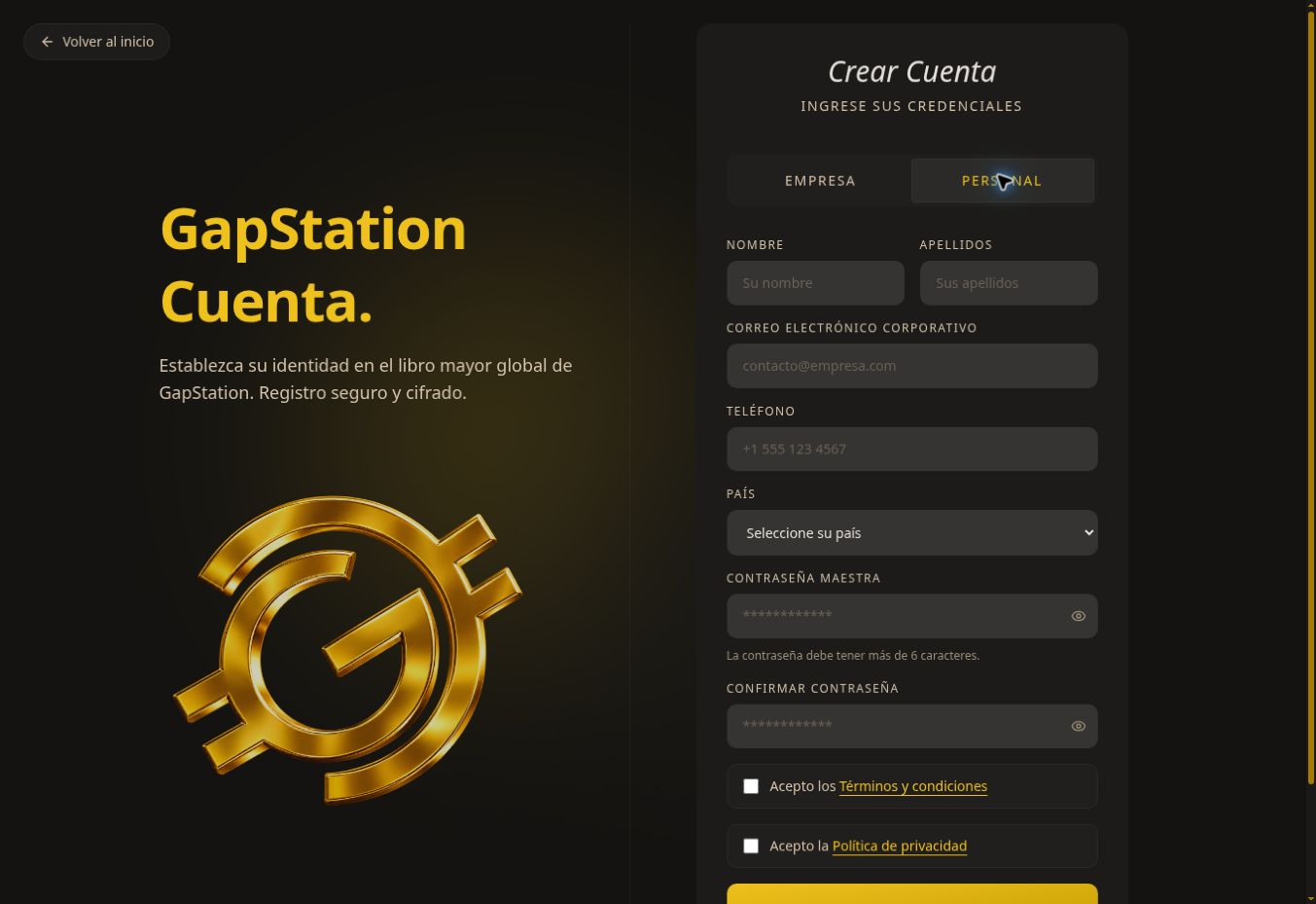 Create a personal account to access your buyer dashboard.
Step by step
- On the homepage, select Create account.
- Select PERSONAL. The BUSINESS option is for company registration.
- Enter your first name, last name, email address, phone number, and country.
- Enter and confirm your password. The form indicates it must be longer than 6 characters.
- Read the terms and conditions and privacy policy. Check the boxes if you agree.
- Select CREATE ACCOUNT and follow the instructions shown.
If you have trouble
Check all required fields and make sure both password entries match. If you already have an account, select Sign in.
Screenshot from the test environment. This guide describes the form; no new account was created during the review.
03. Sign in to your account
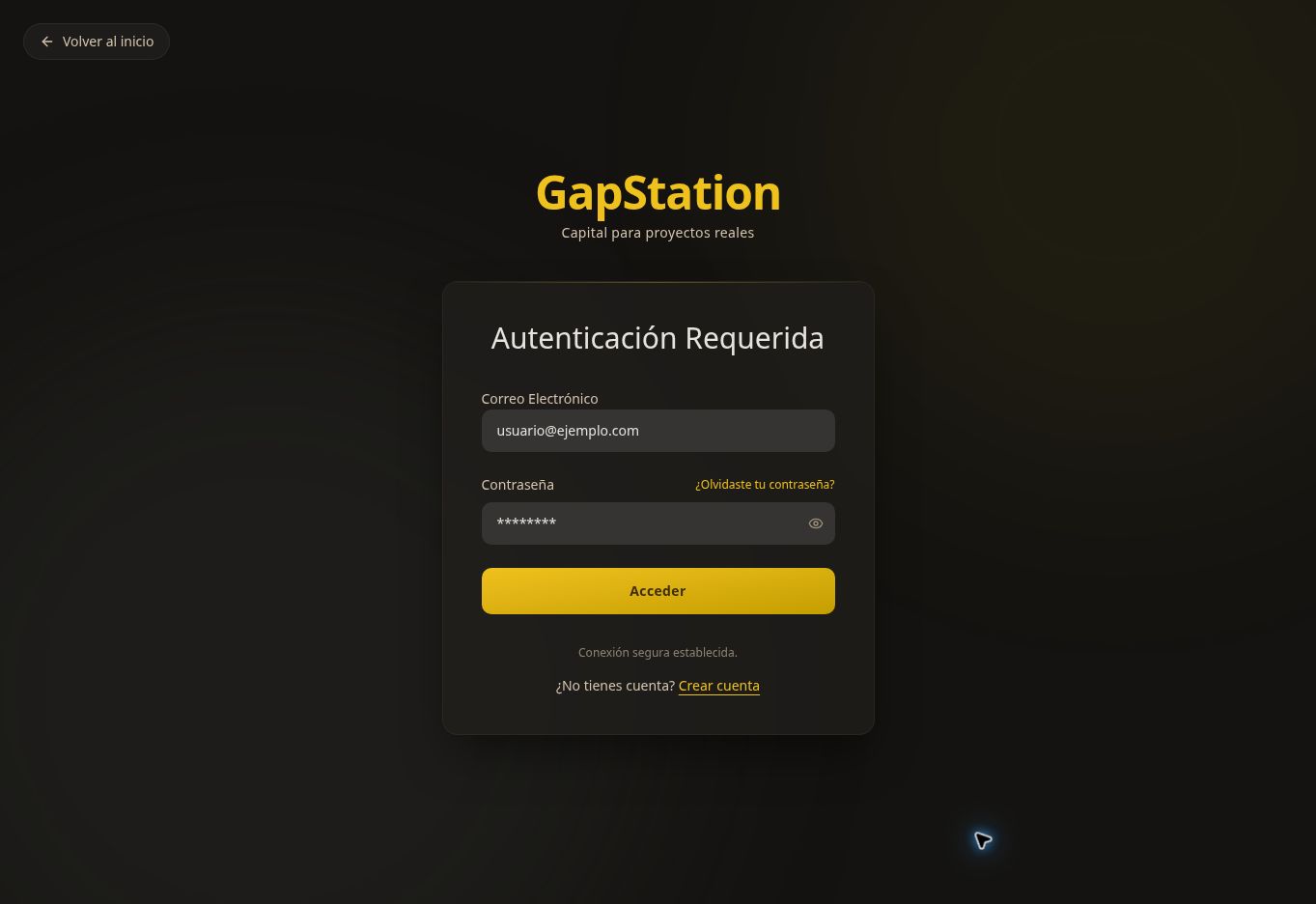 Sign in to your account to view your purchases and account activity.
Step by step
- On the GapStation homepage, select Sign in.
- Enter the Email Address you used to register.
- Enter your Password. You can use the visibility icon to check it.
- Select Sign in. Personal accounts open the Personal Dashboard.
Can’t sign in?
Check your email address and password. If you forgot your password, select Forgot your password? and follow the instructions. If you don’t have an account yet, select Create account.
When you’re done
Use Sign out in the side menu, especially on shared devices. Never share your password.
Screenshot from the test environment. The fields are shown empty.